15
Paper Minecraft is a browser sandbox game that recreates the spirit of Minecraft in a simple 2D world. If you want a quick build and crafting experience without downloading anything, this game delivers that almost instantly.
You start in a pixel landscape made of blocks—trees, dirt, stone, water. From there, it’s up to you. Gather resources, craft tools, build shelter, and survive creatures that appear once night falls.
The Scratch-style design gives the game a lightweight feel, but don’t mistake that for simplicity. Once you begin mining, farming, and expanding your base, it becomes surprisingly engaging.
That said, it’s still a 2D sandbox. If you expect the depth of full Minecraft, you might find it limited.
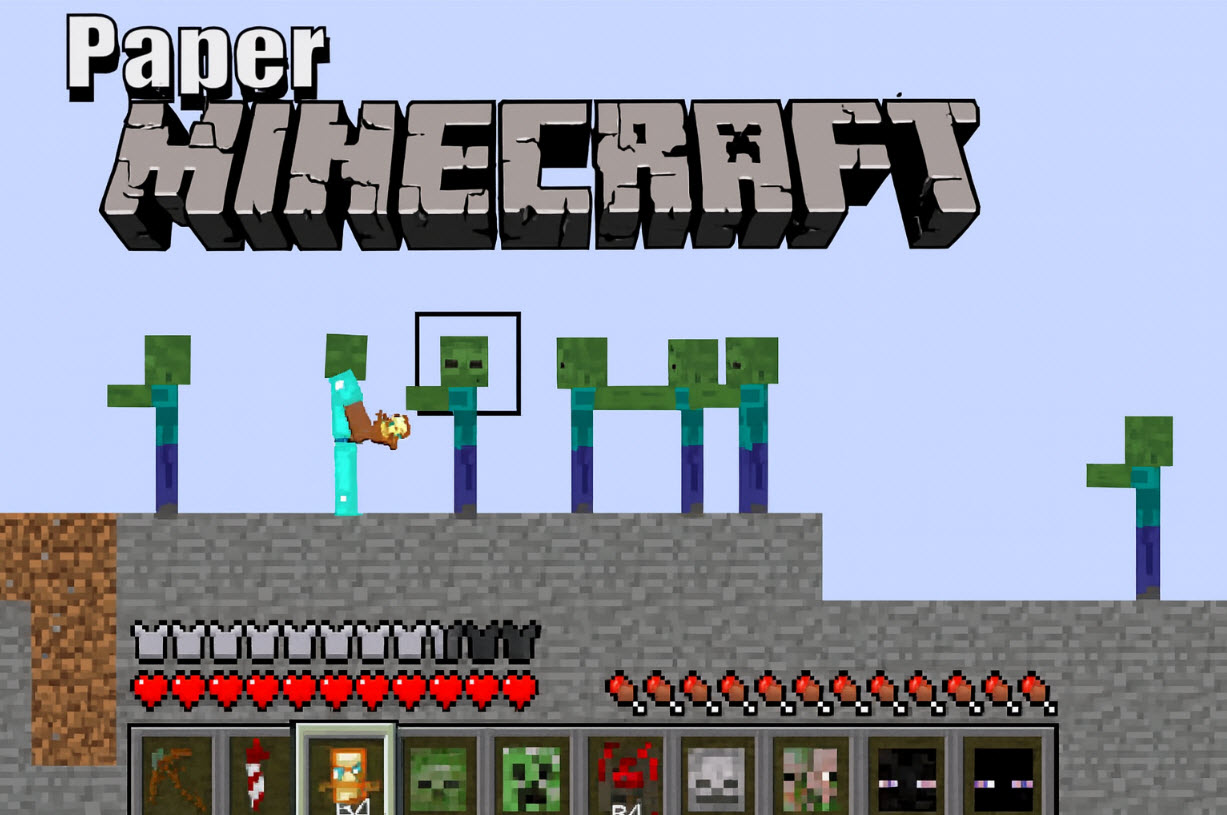
The gameplay loop in Paper Minecraft follows a familiar sandbox rhythm:
Explore different areas of the map
Collect materials like wood and stone
Craft tools and items
Build structures for safety
Survive monsters that appear at night
You can choose between two modes:
Unlimited materials
Fly around the map
Focus purely on building and experimenting
Start with almost nothing
Manage hunger and resources
Defend yourself from enemies after dark
Most players prefer Survival because it creates a stronger sense of progress.
| Action | PC Controls | Mobile Controls |
|---|---|---|
| Move Left / Right | A / D or ← / → Arrow Keys | Tap the left or right movement buttons on the screen |
| Jump | W or ↑ Arrow Key | Tap the Jump button |
| Dig / Place Blocks | Left Mouse Click | Tap the screen on the block |
| Open Inventory / Chest | E Key | Tap the Inventory icon |
| Eat Food / Hold Item | F Key | Tap the Use / Eat button |
| Split Items (Crafting Menu) | Spacebar | Tap and hold the item stack |