19
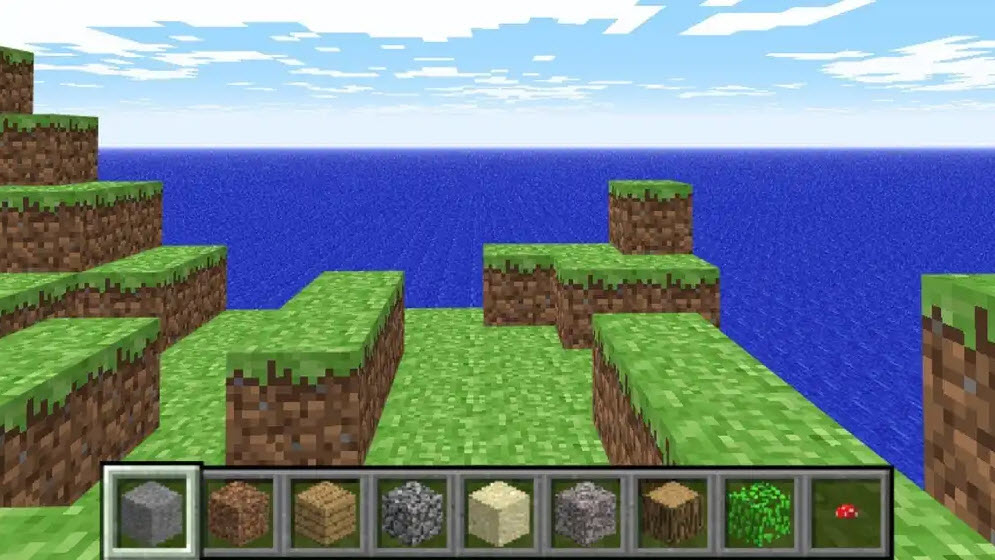
If you’re curious about what Minecraft looked like before all the massive updates, new mobs, and complicated crafting systems, Minecraft Classic is basically a window back to where everything started. This version recreates the very early public build from 2009, when the game was still simple, experimental, and honestly a little rough around the edges.
There’s no survival mode here. No creepers sneaking up behind you. No hunger bar, armor, or complicated crafting recipes. Instead, you get a small blocky world, 32 classic building blocks, and complete freedom to create whatever comes to mind.
You can play Minecraft Classic directly in your browser at eaglercraftgame.org. No downloads, no installation process—just open the page, type a username, and you’re ready to start building.
When you first enter Minecraft Classic, the world looks very simple. The terrain is smaller than modern Minecraft maps, the graphics are basic, and the mechanics feel extremely straightforward.
But that simplicity is exactly what makes the game fun.
With every block already available, you can immediately start experimenting. Some players build simple houses, others try making giant towers, and a few get creative with pixel art designs using the limited block palette.
There’s no pressure to survive or collect materials. You can simply build, destroy, and rebuild as much as you like.
One of the coolest features of Minecraft Classic is its browser-based multiplayer.
When you create a world, the game generates a link you can share. Send it to your friends, and they can jump into the same map instantly. Up to nine players can join, which usually turns the game into a fun little building session.
One person might start building a house.
Another player decides that the house needs a giant tower.
Then someone else builds a random pixel-art smiley face nearby.
Before long, the world becomes a strange but impressive mix of different creations all stacked together.
Even though it’s simple, the gameplay still captures the original spirit of Minecraft:
• Build structures using 32 classic blocks
• Place or remove blocks anywhere in the world
• Explore the small block-based map
• Create towers, houses, or pixel art designs
• Invite friends and build together in multiplayer
There’s no real objective here. No enemies, no bosses, and no final challenge.
The whole point is simply to create something fun.
The controls are easy to learn and only take a few minutes to get used to.
| Action | Control |
|---|---|
| Move your character | W, A, S, D |
| Destroy or place a block | Left Click |
| Toggle build mode | Right Click |
| Select different blocks | Number Keys |
| Open block menu | B |
| Chat with players | T |
| Toggle fog | F |
| Reload your position | R |
| Save your position | Enter |
After a short time playing, moving around, and building will feel completely natural.
Compared to modern versions, Minecraft Classic feels extremely basic. But that simplicity is exactly why people still enjoy it today.
You can start playing instantly.
The gameplay is easy to understand.
And there’s no pressure—just creativity.
It’s also interesting to see how a simple idea like placing blocks eventually turned into one of the most popular games in the world.
Minecraft Classic isn’t about fighting monsters or gathering rare resources. It’s about creativity in its simplest form—placing blocks, experimenting, and building whatever strange or brilliant idea pops into your head.
Sometimes, going back to the beginning reminds you why the game became so special in the first place.