Introduction Eaglercraft Game
Eaglercraft is basically what happens when the classic Minecraft survival experience decides it doesn’t want to wait for downloads anymore. No launcher, no giant install button, no “please wait while files load.” You just open a browser tab, and suddenly you’re standing in a blocky world full of trees, caves, and possibilities.
And honestly, that’s part of the charm. Within seconds, you’re punching your first tree, collecting wood, and wondering whether you should build a house… or explore that suspiciously dark cave nearby. If you’ve ever played sandbox survival games before, the rhythm feels instantly familiar. If you haven’t, don’t worry — the game teaches you everything by simply letting you experiment.
Built to run smoothly in modern browsers, Eaglercraft works surprisingly well even on Chromebooks, school computers, or older laptops. The graphics stay simple and colorful, the world feels huge, and the freedom to build anything you imagine is still very much there.
The Simple Joy of Starting With Nothing
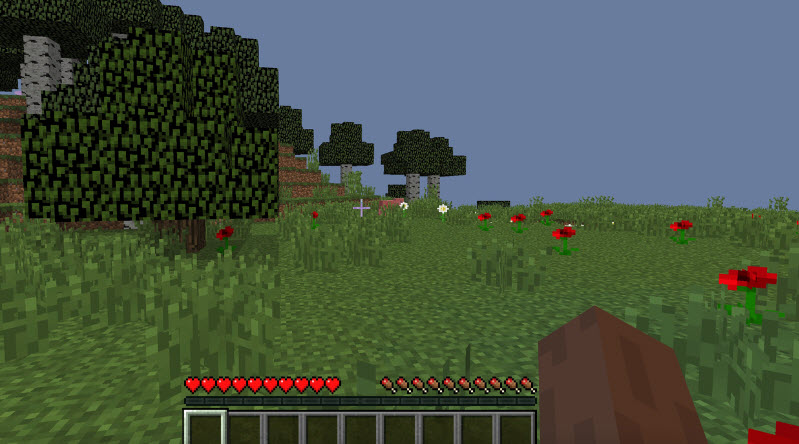
Every new world in Eaglercraft begins the same way: you spawn in the middle of nature with absolutely nothing.
No tools.
No armor.
No idea where the nearest cave might be.
So you start small. Punch a tree, collect wood, craft a basic pickaxe, and slowly build your first shelter. During the day, the world feels peaceful. You can explore forests, climb hills, or dig into the ground searching for useful materials.
But once the sun drops below the horizon, things change quickly.
Zombies start wandering around. Skeletons shoot arrows from the darkness. Suddenly, that tiny wooden hut you built earlier feels like the best decision you’ve ever made.
And that’s really the magic of Eaglercraft. One moment you’re calmly mining coal, and the next you’re sprinting back to your base before nightfall like it’s the final scene of an adventure movie.
Browser Gameplay That Actually Works
One thing players love about Eaglercraft is how easy it is to start playing.
There’s no download.
No complicated setup.
No launcher updates.
You just open the game in your browser and start playing. That’s it.
Because of that, the game has become popular for quick sessions during breaks or on computers that normally can’t run large games.
Core Gameplay
At its heart, Eaglercraft sticks closely to the classic sandbox survival formula players love:
• Gather resources like wood, stone, iron, and diamonds
• Craft tools, weapons, and useful equipment
• Explore caves filled with treasure (and danger)
• Build houses, farms, and creative structures
• Fight monsters that appear during the night
• Join multiplayer servers and compete with other players
Some players spend hours building giant castles. Others dive deep underground searching for rare materials. The beauty is that there’s no single “correct” way to play.
How to Play
Getting started is simple. The controls follow the familiar PC sandbox style.
| Control | Action |
|---|---|
| W, A, S, D | Move your character |
| Space | Jump |
| Left Mouse | Break blocks or attack |
| Right Mouse | Place blocks or use items |
| E | Open inventory |
| Esc | Pause the game and open settings |
After a few minutes of playing, the controls start to feel completely natural.
Final Thoughts
What makes Eaglercraft special isn’t just the gameplay — it’s the convenience. Being able to jump into a full sandbox survival world directly from your browser feels surprisingly refreshing.
One minute you’re just opening a tab.
The next minute, you’re building a house, exploring caves, and trying to survive the night.
And if you’ve played games like this before, you already know what happens next.
You tell yourself, “Just ten more minutes.”
Two hours later… you’re still mining.